
Bulk import Shopify products from Excel or CSV
Empty Command is MERGE: update a match, or create when there is none. Dry run first. New products need Title. Identity is ID, then Handle, then Title.
This is the full Products write. Field jobs such as prices or tags are smaller files of the same engine. Migration from another platform is Migrate.
Columns
| Need | Columns |
|---|---|
| Minimum, new product | Title. Handle is generated from Title if you leave it empty. |
| Minimum, update | Handle (or ID), plus the fields you are changing. |
| Recommended | Handle, Title, Variant SKU, Variant Price, Status, Vendor, Type, Tags, Body HTML. |
| Command | Empty = MERGE. NEW, UPDATE, DELETE, REPLACE (REPLACE is rejected on write). |
Steps
- Build a Products sheet or CSV. One row per variant.
- Open Import. Choose the file, or paste a File URL.
- Wait for analysis. Keep Dry run on.
- Read Import Result and Import Comment.
- Uncheck Dry run and run again to write.
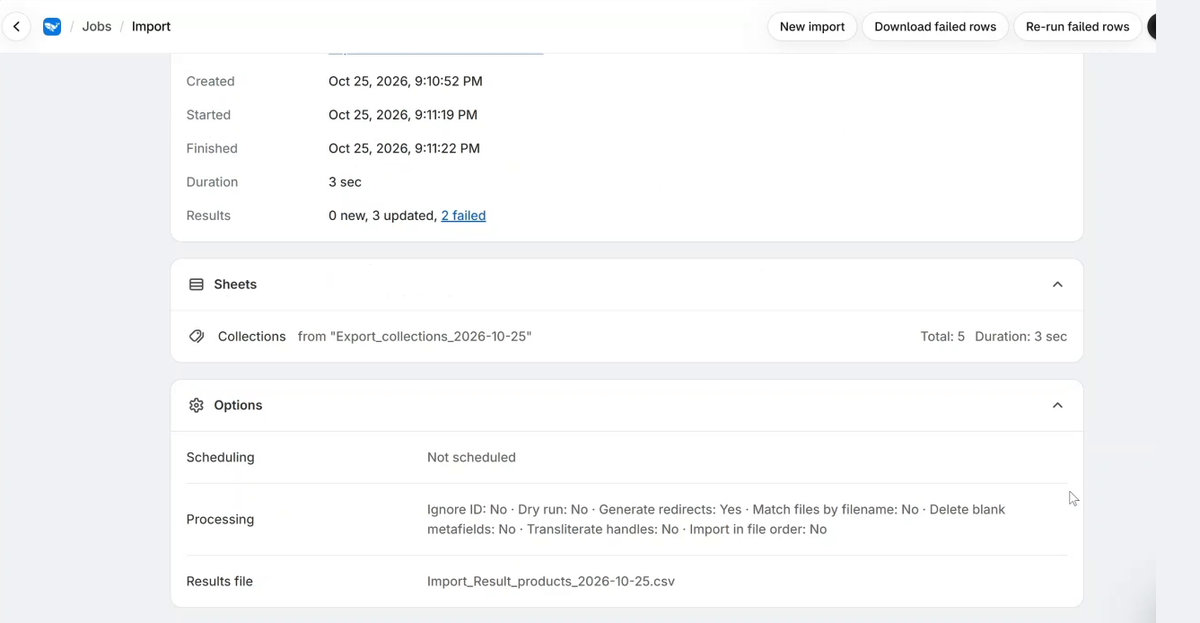
What a dry-run comment looks like
What fails
- No identifier column: ALYS044. Need ID, Handle, Title, Variant ID, SKU, or Barcode.
- NEW on a product that already exists: IMP001 Product already exists.
- UPDATE when there is no match: IMP002 Product not found.
- Duplicate Title when matching by Title.
- ID in scientific notation: ALYS027. Format as text.
- Command REPLACE is rejected on write (ALYS012 warns at analysis).
FAQ
- Will this update existing products?
- Yes, when a row matches. Empty Command is MERGE.
- How do I create only?
- Command NEW. If the product already exists, the row is skipped: IMP001 Product already exists.
- Do I need every column?
- No. Minimum columns. Omit columns you do not want to change.
- Shopify product CSV?
- Yes. Import a Shopify CSV.