
Copy Shopify data to another store
Export from shop A, import on shop B with Ignore ID. Handles remap. Metafield GIDs from A are skipped. Not themes, not apps, not live sync.
Use this to copy products (and other sheets you export) onto a second Shopify shop. Match products is the Ignore ID engine. This is not a theme copy and not a live connection between shops.
Columns
| Need | What to do |
|---|---|
| Export | On shop A, Export the sheets you want (Products, Collections, Redirects, …). |
| Import | On shop B, Import. Turn on Ignore ID if it is not already on. |
| Empty cells | Same as a normal import. Omit columns you do not want to write on B. |
Steps
- On shop A, export Products (and other sheets).
- On shop B, open Import, choose the file, turn on Ignore ID.
- Dry run. Would create if B does not have those handles. Would update if handles already exist on B.
- Uncheck Dry run to write. Generate redirects is for handle changes on the same shop, not for clone.
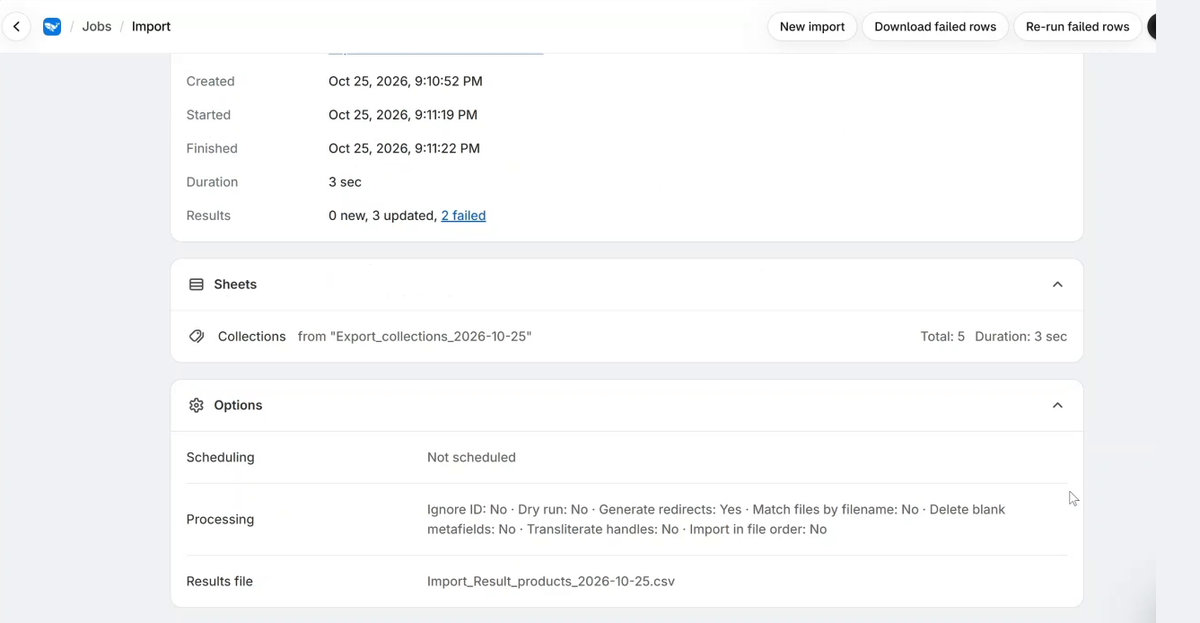
What a dry-run comment looks like
What fails
- Leaving Ignore ID off. Shop A IDs are not shop B.
- A leftover GID in a metafield reference. With Ignore ID that cell is skipped.
- Themes, apps, checkout settings. Not in these sheets.
What is copied
- Whatever you exported: Products, Collections, Pages, Redirects, and the rest of the 23 sheets you selected.
- Payouts and Activities export but do not import.
- There is no live sync. Run export/import again to copy later changes.
FAQ
- Same handles on B already?
- MERGE updates those products. Use NEW only if you want a skip when they exist (IMP001).
- Customers?
- Export Customers on A, import on B with Ignore ID. Email is the match after ID is ignored.
- Themes and apps?
- Not copied. Sheets only.
- Live sync?
- No. Export and import again when you need a later copy.