
Export a Google Shopping feed from Shopify
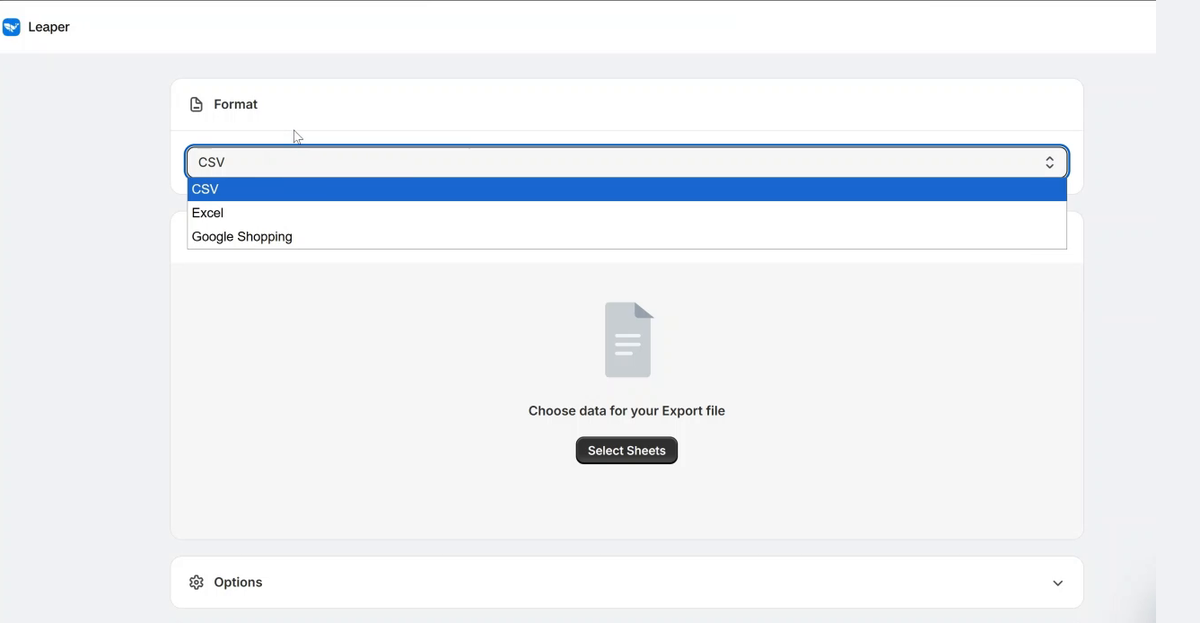
Export Format Google Shopping writes a product TSV feed. Do not import that feed as a Products sheet. Merchant Center is not connected. Google Shopping / columns on Products are a different job.
Use Format Google Shopping when you need a feed file for Merchant Center. Export products is CSV or Excel you can import back. Leaper does not log in to Google.
Steps
- Open Export. Set Format to Google Shopping.
- Products is the feed source. Run export.
- Download the TSV from Jobs. Upload it in Google Merchant Center yourself.
What the feed looks like
Google Shopping columns on Products
The Products sheet has Google Shopping / Title, Description, Condition, Gender, Age Group, MPN, Custom Product, and Custom Label 0–4. Export Format CSV or Excel if you want to edit those fields and import them back. Empty Google Shopping / Title on import clears that field in Shopify. Omit the column to leave it.
What a dry-run comment looks like (product columns)
What fails
- Importing the TSV as Products.
- Expecting an automatic Merchant Center upload.
FAQ
- Can I import the TSV back?
- No. It is a feed, not a Products sheet. Use Format CSV or Excel for a file you will import.
- Does Leaper upload to Merchant Center?
- No. Download the feed and upload it in Google.
- Is this SEO Title?
- No. SEO Title is Shopify search. Google Shopping / Title is a product column you can export or import on the Products sheet.
- Custom labels?
- Google Shopping / Custom Label 0 through 4 are columns on Products. The TSV feed also includes brand, gtin, mpn, condition, category, item group, color, and size when those fields exist.