
Transliterate Shopify product handles
Import Options: Transliterate handles (off by default) folds non-ASCII handles before match and create. You can also set Handle in the file. Generate redirects is a different option.
Use Transliterate handles when Title or Handle contains non-ASCII letters and you want a Latin URL path. The checkbox is on Import, Options. Default is off. Update handles is for products that already exist. Generate redirects creates /products/old to /products/new when Handle changes.
Columns
| Need | Columns |
|---|---|
| Minimum, new product | Title, Handle (Latin, hyphenated). |
| Recommended | Title, Handle, Variant SKU, Variant Price. |
| Empty cells | Empty Handle on create: generated from Title. Empty Handle on update: existing handle stays. |
Steps
- Set Handle in the file when you know the Latin path you want (wool-coat).
- Or leave Handle empty and turn on Transliterate handles under Import Options so non-ASCII titles fold before create.
- Dry run. Confirm Would create and the handle in the result.
What a dry-run comment looks like
What fails
- A handle that already exists. MERGE then updates that product.
- Spaces and capitals in Handle. Use hyphens and lowercase.
The option
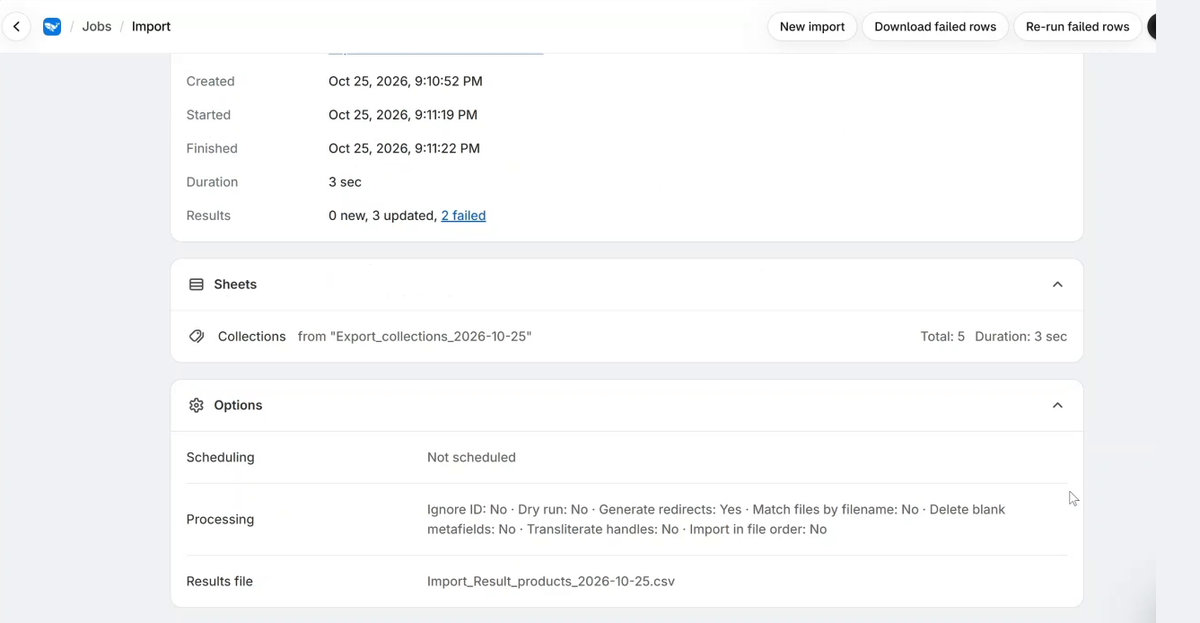
On Ready to import, Options includes Transliterate handles (off) and Generate redirects (on). Transliterate folds non-ASCII handles before match and create. There is not a separate Transliterate screen. The screenshot is a completed import. Processing lists those flags.
FAQ
- Is Transliterate the same as Generate redirects?
- No. Transliterate folds characters on match/create. Generate redirects writes /products/old to /products/new when Handle changes.
- Default?
- Off. Turn it on under Import Options when you need it.
- Can I just set Handle?
- Yes. A Latin Handle in the file is enough. Transliterate is for when Handle is generated from a non-ASCII Title.